Translate

Selasa, 22 Oktober 2013

New on iTunes: Katy Perry, Man of Steel, CSR Classics and More


New on iTunes
Katy Perry

PRISM brings the pop superstar roaring back to the top of the charts with a bold collection of glittering pop confections, all co-written by Perry herself. Pulsing dance beats, icy synths and spine-tingling hooks make singles like "Roar", "Dark Horse" and "Walking on Air" sensational.
Check It Out Go
The Beatles Live at the BBC Halloween Pacific Rim
CSR Classics

Restore classic cars, then load them with speed-boosting nitrous and enter high-octane drag races in this stunning, fast-paced outing from CSR.
Check It Out Go
CSR Classics
Pearl Jam Cameo
Apple Keynotes (HD) (Video) 50 Legendary Albums : American Pop Magazines in Japanese
Man of Steel

Superman overcomes his alienation to become a beacon of hope for all humanity in this sensitive yet action-packed retelling. Directed by Zack Snyder, Man of Steel is a gritty and stylish visual treat from start to finish.
Check It Out Go
Man of Steel
The Croods Space Qube® James Blunt
Music
Everybody
Everybody
SHINee

Virgin Records: 40 Years of Disruptions
Various Artists

Tribute (Deluxe)
Tribute (Deluxe)
John Newman

DJ Mag Top 100 DJs: 20 Years - Ministry of Sound
DJ Mag Top 100 DJs: 20 Years - Minist...
Various Artists

Movies
Despicable Me Presents: Minion Madness

Epic (2013)
Epic (2013)


Explore
Music
Movies
App Store
Features
Music Pre-Orders
iBooks App
iTunes U App
Podcasts App
Help
Support
Privacy Policy
Terms and Conditions
Manage
Account
Subscribe
Unsubscribe
iTunes for Mac and Windows
All rights reserved. Copyright © 2013 iTunes S.à.r.l. 31 - 33, rue Sainte Zithe, L-2763 Luxembourg
The iTunes Store, iBooks and App Store are available only to persons age 13 or older and in Brunei Darussalam, Cambodia, Hong Kong, Indonesia, Lao People's Democratic Republic, Macau, Malaysia, Philippines, Singapore, Sri Lanka, Taiwan, Thailand or Vietnam. iTunes 10 or later, compatible hardware and software and Internet access (fees may apply) are required. Books require iBooks 2 on a device with iOS 4.2 or later. Some content has specific hardware or software requirements; please review product information before purchasing. Full terms apply, available at www.apple.com/legal/itunes/ww/. Content prices and availability subject to change.

Senin, 21 Oktober 2013

Your BlackBerry® ID has been created

Your BlackBerry® ID has been created

Hello,

You've created a BlackBerry ID!

To enjoy the full benefits of your BlackBerry ID, confirm your email address.

This link will expire in 72 hours.

BlackBerry® ID is your universal BlackBerry key. Here's what it offers:

  • One sign in for all BlackBerry applications, services, and websites.
  • Automatic transfer of some email accounts and services when you switch smartphones.
  • Full access to all features in BlackBerry® World™ storefront.
  • Protection of financial transactions using BlackBerry services.

Learn more about BlackBerry ID

The BlackBerry Team


If you did not create or do not recognize this account, delete this BlackBerry ID.


Jumat, 11 Oktober 2013

Your Apple ID was used to sign in to FaceTime and iMessage on an iPhone 5

Dear Gus Ardanayasa,
Your Apple ID (ardanakonyol@gmail.com) was used to sign in to FaceTime and iMessage on an iPhone 5 named "Trainer-CW003's iPhone".
If you have not recently set up an iPhone with your Apple ID, then you should change your Apple ID password. Learn more.
Apple Support

New features for Find My iPhone in iOS 7

Dear Gus Ardanayasa,
Congratulations on your update to iOS 7. As an iCloud user, part of your upgrade includes new features built into Find My iPhone that make it harder for anyone else to use or sell your device if it is ever lost or stolen.
With Find My iPhone turned on in iOS 7, your Apple ID (ardanakonyol@gmail.com) and password will always be required before anyone can:
• Turn off Find My iPhone on your device.
• Erase your device.
• Reactivate and use your device.
There is nothing you need to do except to keep Find My iPhone turned on and remember your Apple ID and password. For more information, read the FAQ.
Note: As always, if you plan to give your device to someone else, make sure to erase all content and settings before transferring it to the new owner. This will remove the device from your account and allow the new owner to activate it. For more information, read What to do before selling or giving away your iPhone, iPad, or iPod touch.
The iCloud Team

Your Apple ID was used to sign in to iCloud on an iPhone 5

Dear Gus Ardanayasa,
Your Apple ID (ardanakonyol@gmail.com) was used to sign in to iCloud on an iPhone 5.
If you have not recently set up an iPhone with your Apple ID, then you should change your Apple ID password. Learn more.
Apple Support

Welcome to iCloud.

Welcome to iCloud.
Your Apple ID is ardanakonyol@gmail.com
Now that you've set up iCloud on one device, you can set it up on your other devices using the same Apple ID.
Get Started 
iTunes in the Cloud
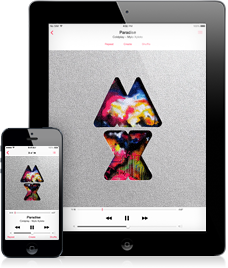
Access your music, movies, and TV shows on your devices – wirelessly and without syncing. Learn More 
iCloud Photo Sharing
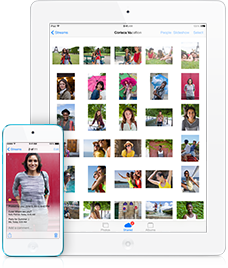
Share photos and videos with friends you choose and let them add photos, videos, and comments. Learn More 
Find My iPhone
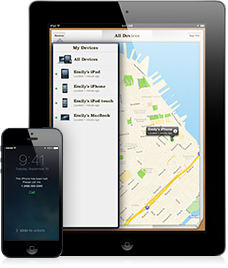
Locate, lock, or erase your missing iPhone, iPad, or iPod touch and prevent anyone else from reactivating it. Learn More